

Many designers still view animation as decorative fluff that distracts users rather than enhances their experience. This misconception costs businesses measurable engagement and conversions. The truth is strategic animation dramatically improves comprehension, guides user attention, and strengthens brand recall when implemented correctly. This guide explores proven animation techniques, technical foundations, and real business results that demonstrate how purposeful motion transforms static websites into engaging, conversion-focused digital experiences. You'll discover performance-optimized methods, practical implementation strategies, and measurable outcomes that justify animation investment.
Table of Contents
- Why Animation Matters In Modern Web Design
- Technical Foundations: Choosing The Right Animation Techniques
- Best Practices And Nuances In Applying Web Animations
- Business Impact And Real-World Results Of Animation In Web Design
- Elevate Your Web Design With Mousai Design
- FAQ
Key takeaways
| Point | Details |
|---|---|
| Animation boosts engagement | Users spend significantly more time on animated pages and retain information better |
| Technical choices matter | CSS and SVG animations outperform JavaScript for efficiency and battery life |
| Strategic implementation wins | Purposeful animation increases conversions while excessive motion harms user experience |
| Business results are measurable | Optimized animation reduces bounce rates and improves page performance metrics |
Why animation matters in modern web design
Animation transforms passive browsing into active engagement. Visitors spend 88% more time on pages featuring motion graphics compared to static alternatives. This extended engagement creates more opportunities for users to absorb your message, explore offerings, and take desired actions. The impact extends beyond simple attention metrics into meaningful business outcomes.
Complex processes and abstract concepts become instantly clearer through animated explanations. Businesses see 65% better comprehension when using animation to explain intricate workflows or technical features. This clarity reduces confusion, minimizes support requests, and accelerates decision making. Users grasp your value proposition faster when motion illustrates relationships and sequences that text alone struggles to convey.
Brand memorability and conversion rates both improve substantially with strategic animation. Animation increases brand recall by 70% while boosting conversions up to 20% in campaigns that leverage motion effectively. These gains stem from animation's ability to create emotional connections and memorable visual signatures that distinguish your brand from competitors.
Well-placed animations function as visual guides that direct user attention exactly where you need it. Consider these engagement benefits:
- Animated calls to action capture 3x more clicks than static buttons
- Loading animations reduce perceived wait time and abandonment
- Scroll-triggered animations reveal content progressively, maintaining interest
- Hover effects provide immediate feedback that builds interface confidence
Strategic animation doesn't decorate your interface, it clarifies navigation, emphasizes hierarchy, and transforms user journeys from confusing to intuitive.
The key distinction separates purposeful animation from gratuitous motion. Every animated element should serve a specific function: guiding attention, providing feedback, illustrating change, or reinforcing brand personality. When animation lacks purpose, it becomes noise that frustrates users and undermines your message. The technical implementation choices you make determine whether animation enhances or hinders performance.
Technical foundations: choosing the right animation techniques
CSS animations leverage GPU acceleration more efficiently than JavaScript alternatives, producing smoother motion with lower battery drain. This hardware optimization matters significantly on mobile devices where processing power and energy consumption directly impact user experience. Understanding which properties trigger GPU acceleration separates amateur implementations from professional results.
Animating transform and opacity properties enables GPU acceleration and consistent 60fps playback across devices. These properties avoid expensive layout recalculations that cause stuttering and lag. Properties like width, height, top, and left force the browser to recalculate page layout on every frame, creating janky motion that feels unprofessional and frustrates users.

JavaScript animations require careful synchronization to avoid performance problems. RequestAnimationFrame synchronizes animation with browser refresh cycles, eliminating the stutter common with setInterval or setTimeout approaches. This native method pauses animations when tabs lose focus, conserving battery and processing power automatically.
| Animation Type | Best Use Case | Performance Impact | Production Speed |
|---|---|---|---|
| CSS | Simple state changes, hover effects, transitions | Excellent GPU acceleration | Fast implementation |
| JavaScript | Complex sequences, user interactions, dynamic timing | Good with requestAnimationFrame | Moderate development time |
| SVG | Scalable graphics, logos, icons, illustrations | Lightweight files, crisp rendering | Fastest with no-code tools |
SVG animations combine performance benefits with production efficiency. Vector graphics scale perfectly across screen sizes without quality loss or file size penalties. Modern no-code tools enable designers to create sophisticated SVG animations without writing code, dramatically reducing production time while maintaining pixel-perfect quality.
Choosing the appropriate animation technique depends on several factors:
- Complexity of the animation sequence and timing requirements
- Target device capabilities and expected network conditions
- Team skill sets and available development resources
- Maintenance requirements and future update frequency
Pro Tip: Start with CSS animations for simple transitions and micro-interactions. Reserve JavaScript for complex sequences that require precise timing control or user input synchronization. Use SVG when scalability and file size optimization matter most.
The technical foundation you select impacts not just initial performance but long-term maintainability. CSS animations integrate cleanly with responsive design patterns and require minimal JavaScript overhead. JavaScript animations offer maximum control but demand more careful optimization and testing across devices. SVG animations provide the best balance of visual quality, file efficiency, and production speed for graphic-heavy implementations.
Best practices and nuances in applying web animations
Overusing animations distracts users and creates cognitive overload that damages user experience rather than enhancing it. Every animated element competes for attention, so excessive motion fragments focus and prevents users from completing intended tasks. Restraint separates sophisticated implementations from amateur attempts that prioritize flashiness over functionality.
Animation should establish clear visual hierarchy by emphasizing important elements while de-emphasizing secondary content. Animation directs user attention to critical interface elements, improving navigation flow and decision-making speed. Subtle motion draws eyes naturally without demanding conscious attention, creating intuitive interfaces that feel effortless to use.
The will-change CSS property optimizes animation performance by alerting browsers to prepare elements for transformation. However, overusing this property wastes memory and degrades performance instead of improving it. Apply will-change only to elements actively animating, then remove it afterward to free resources.
Understanding the distinction between transitions and animations clarifies implementation choices. Transitions handle simple state changes like hover effects or show/hide toggles with minimal code. Animations orchestrate complex sequences with multiple keyframes, precise timing, and coordinated motion across elements. Choose transitions for straightforward interactions and reserve animations for sophisticated sequences.
Micro-animations polish interfaces and build user confidence through immediate feedback:
- Button press animations confirm user actions instantly
- Form field highlights indicate active input areas
- Success animations reinforce completed actions
- Error animations draw attention to problems requiring correction
Implementing purposeful animation requires systematic planning:
- Identify specific user experience problems animation can solve
- Define clear success metrics for each animated element
- Prototype animations quickly to test effectiveness before full implementation
- Optimize performance across target devices and network conditions
- Test with real users to validate improvements versus assumptions
- Monitor analytics to measure actual impact on engagement and conversions
Animation serves users first and aesthetics second. If motion doesn't improve task completion, comprehension, or emotional connection, remove it regardless of how visually impressive it appears.
Balancing animation benefits against performance costs requires ongoing vigilance. Beautiful animations that drain batteries or cause stuttering on mid-range devices alienate users rather than engaging them. Test thoroughly on actual target devices, not just high-end development machines. Monitor frame rates, memory usage, and battery consumption to ensure animations enhance rather than degrade the experience.
Pro Tip: Use Chrome DevTools Performance panel to record animation sequences and identify expensive operations causing frame drops. Look for long tasks, excessive layout recalculations, and paint operations that indicate optimization opportunities.
Accessibility considerations demand equal attention to visual polish. Provide prefers-reduced-motion media queries that disable animations for users with vestibular disorders or motion sensitivity. Ensure animations don't convey critical information that users might miss if they disable motion. Test with screen readers to verify animations don't interfere with assistive technology functionality.
Business impact and real-world results of animation in web design
Optimized animation implementation delivers measurable performance improvements that directly impact business metrics. Relive improved Largest Contentful Paint by 50%, reduced bounce rate by 6%, increased conversions by 3%, and boosted page views by 9% through systematic animation optimization. These gains demonstrate how technical excellence translates into tangible business value.
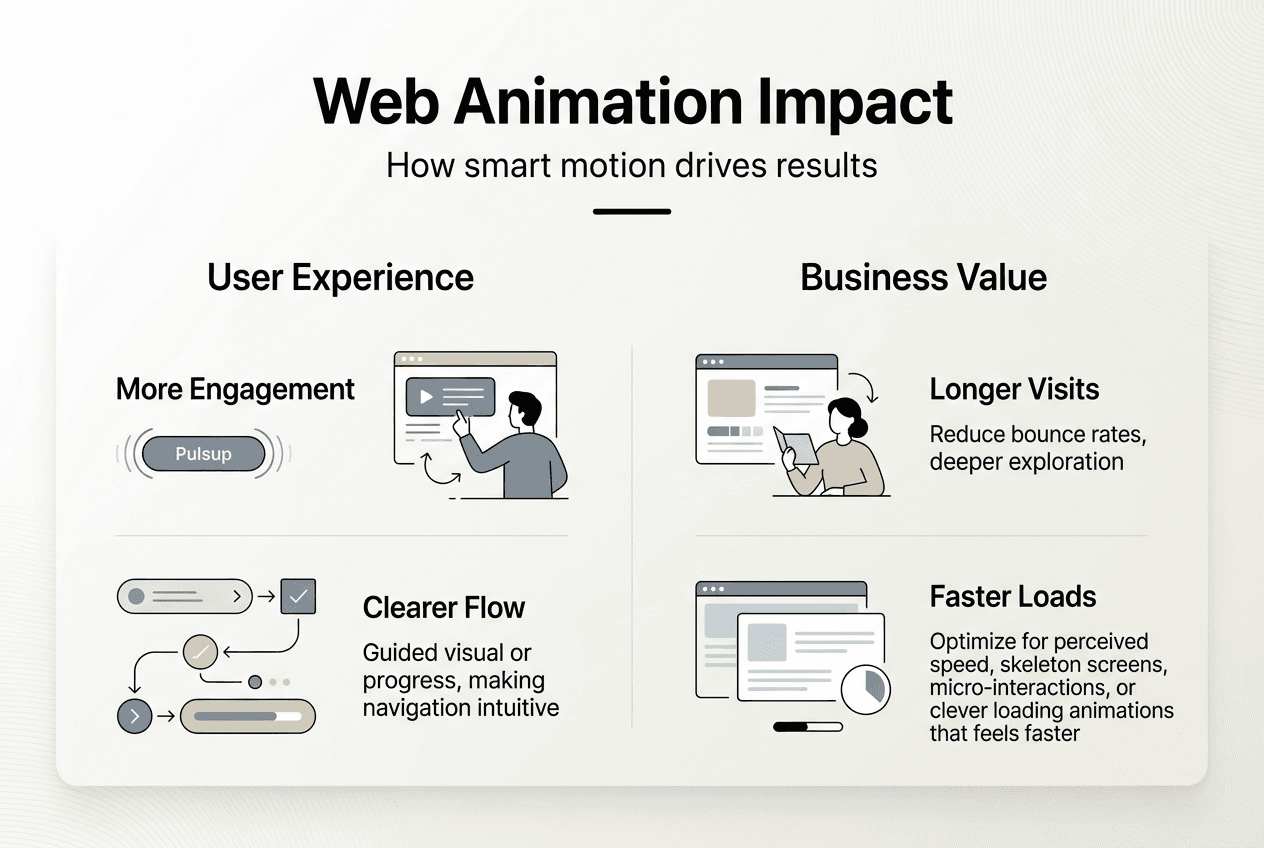
Faster load times and smoother interactions build user trust and encourage exploration. When animations feel instant and responsive, users perceive your entire brand as professional and reliable. Conversely, janky animations or slow-loading motion graphics create negative impressions that undermine credibility regardless of your actual product quality.
SVG animation tools reduced production time from 6 hours to 45 minutes per asset, saving 15-20 hours monthly. This efficiency gain enables marketing teams to iterate faster, test more variations, and maintain consistent visual quality without bottlenecking on developer availability. The speed advantage compounds over time as teams produce more animated content independently.
Quantified results prove animation's return on investment:
| Metric | Improvement | Business Impact |
|---|---|---|
| Time on site | 88% increase | More engagement opportunities, better message absorption |
| Comprehension | 65% improvement | Faster decisions, reduced support costs |
| Brand recall | 70% boost | Stronger differentiation, improved marketing efficiency |
| Conversions | Up to 20% gain | Direct revenue impact, improved campaign ROI |
These improvements stem from animation's ability to reduce cognitive load while increasing emotional engagement. Users process visual motion faster than text, making complex information instantly accessible. Emotional connections formed through delightful micro-interactions build brand affinity that transcends rational feature comparisons.
Marketing autonomy increases dramatically when teams control animation production directly. No-code tools eliminate dependencies on developers for routine updates and A/B testing variations. This independence accelerates campaign execution and enables rapid response to market opportunities without technical bottlenecks.
Fast, optimized animations signal quality and attention to detail that builds user confidence. Performance isn't just a technical concern, it's a brand statement that shapes perception and influences purchase decisions.
The competitive advantage extends beyond individual metrics into holistic user experience improvements. Websites with purposeful animation feel more modern, trustworthy, and engaging than static alternatives. Users spend more time exploring, remember your brand more vividly, and convert at higher rates when motion enhances rather than decorates the experience.
Measuring animation's business impact requires tracking specific metrics before and after implementation. Monitor bounce rates, time on page, conversion rates, and user flow patterns to quantify improvements. A/B test animated versus static versions of key pages to isolate animation's specific contribution to performance gains.
Elevate your web design with Mousai Design
Applying these animation principles effectively requires both technical expertise and design sensibility. Mousai Design specializes in custom web solutions that leverage cutting-edge animation techniques to boost engagement, strengthen branding, and drive measurable conversions. Our approach integrates CSS, JavaScript, and SVG animations using the performance best practices outlined in this guide.
We build websites that don't just look impressive but deliver real business results through strategic motion design. Every animation serves a specific purpose, whether guiding user attention, illustrating complex processes, or reinforcing brand personality. Our conversion-focused approach ensures animations enhance user experience rather than distracting from core objectives. Partner with us to transform your digital presence with innovative animation solutions backed by technical excellence and proven business outcomes.
FAQ
What is the best animation technique for web performance?
CSS animations focusing on transform and opacity properties provide the best performance due to GPU acceleration and minimal layout recalculation overhead. JavaScript animations should use requestAnimationFrame for smooth synchronization with browser refresh cycles. SVG offers lightweight, production-efficient solutions that scale perfectly across devices without quality loss.
How can animation improve user engagement and conversions?
Animations draw user attention to calls to action and critical information, enhancing navigation clarity and accelerating decision-making. Motion graphics and animated explanations significantly increase time on site while improving comprehension of complex processes. Strategic animation can boost conversions up to 20% by creating emotional connections and memorable brand experiences.
What are common pitfalls to avoid with web animation?
Excessive or distracting animations frustrate users and reduce engagement by creating cognitive overload. Inefficient CSS or JavaScript animations cause stuttering motion and drain device batteries, damaging user experience. Overusing the will-change CSS property wastes memory and degrades performance instead of optimizing it.
How do no-code tools and SVG animation benefit marketing teams?
No-code SVG tools reduce production time from hours to minutes, enabling marketing teams to implement animation changes independently without developer dependencies. Direct design imports from tools like Figma ensure visual consistency while accelerating workflow. This autonomy enables faster A/B testing, campaign iteration, and market responsiveness.