

Interactive web design can double conversion rates compared to static sites, yet many designers and marketers still treat the web as a canvas for static visuals. The reality is that interactive elements transform passive browsing into active engagement, creating memorable experiences that drive measurable business results. This guide breaks down what interactive web design truly means, explores proven methodologies for implementation, examines real benefits and challenges backed by 2026 data, and provides actionable tips tailored for tech startups and digital marketers looking to elevate user experience and conversions.
Table of Contents
- What Is Interactive Web Design? Understanding The Basics
- The Methodologies Behind Interactive Web Design
- Benefits And Challenges Of Interactive Web Design In 2026
- Practical Tips For Implementing Interactive Web Design At Tech Startups
- Explore Expert Interactive Web Design Services
Key takeaways
| Point | Details |
|---|---|
| Interactive elements drive results | Boost engagement by 50%, reduce bounce rates by 40%, and increase conversions by up to 43% compared to static designs. |
| Core components include micro-interactions | Animations, gamification, personalized content, and 3D effects create dynamic user experiences. |
| Balance UX with performance | Effective interactive design requires careful attention to accessibility standards and loading speed optimization. |
| Lean workflows accelerate development | Agile sprints and MVP prototyping with tools like Figma and Next.js enable rapid iteration and testing. |
| Avoid common pitfalls | Accessibility barriers, cognitive overload, and poor mobile optimization can undermine interactive design benefits. |
What is interactive web design? Understanding the basics
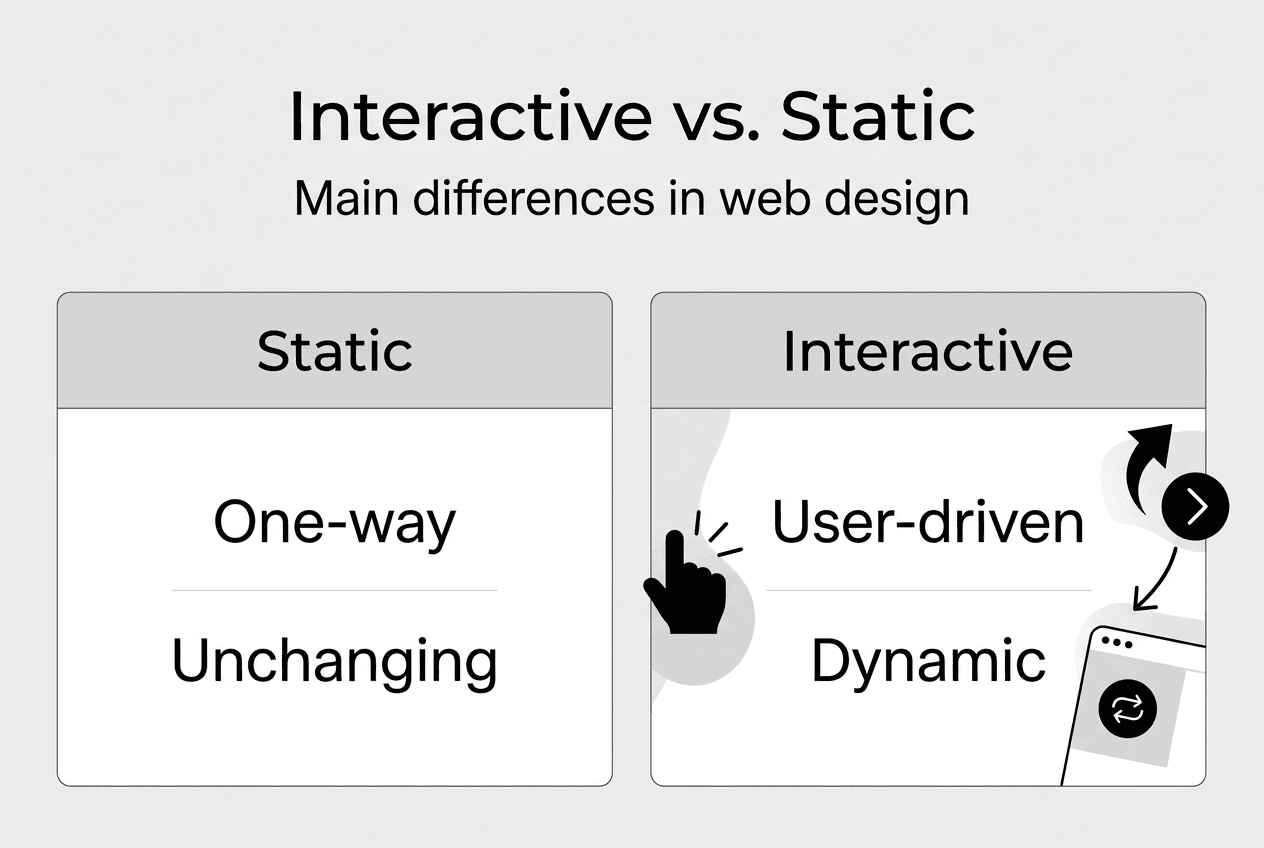
Interactive web design transforms static websites into dynamic experiences where elements respond to user inputs like clicks, hovers, scrolls, and gestures. Unlike traditional static pages that simply display information, interactive designs invite participation and create two-way communication between the user and the interface. This fundamental shift turns passive consumption into active engagement.
The core mechanics of interactive design include several key components. Micro-interactions provide instant feedback when users complete actions, like a button changing color on hover or a subtle animation confirming form submission. Scroll-triggered animations reveal content progressively as users navigate down the page, creating a sense of discovery and flow. Personalized content adapts based on user behavior, location, or preferences, making each visit feel tailored and relevant.
Common interactive elements that drive engagement include:
- Quizzes and assessments that provide personalized recommendations
- Calculators and interactive tools that deliver instant value
- Gamified forms that make data collection feel like play
- 3D objects users can rotate and explore
- Chatbots that provide real-time assistance
- Progress indicators that show completion status
The distinction between static and interactive design comes down to user agency. Static pages present information in a fixed format, requiring users to simply scroll and read. Interactive designs empower users to manipulate, explore, and customize their experience. This active participation creates stronger emotional connections and deeper engagement with your brand. For tech startups competing in crowded markets, 3D visuals and gamified experiences can differentiate your platform and create memorable first impressions that convert visitors into users.
The methodologies behind interactive web design
Interaction Design principles form the foundation of effective interactive web experiences. Don Norman's 5 Dimensions of IxD provide a framework for thinking about every touchpoint: Words that communicate clearly, Visual representations that users understand intuitively, Physical space or objects users interact with, Time that encompasses how the experience changes over duration, and Behavior that defines how the system responds to user actions. Each dimension must work in harmony to create seamless interactions.
User-centered design processes ensure interactive elements actually serve user needs rather than just looking impressive. The workflow typically follows these steps:
- Research user behaviors, pain points, and goals through interviews and analytics
- Create wireframes that map out interaction flows and decision points
- Build interactive prototypes that simulate the actual user experience
- Conduct usability testing with real users to identify friction points
- Iterate based on feedback and performance data
For tech startups operating with limited resources and tight timelines, agile design workflows offer a practical approach. Breaking development into two-week sprints allows teams to ship functional features quickly, gather real user feedback, and adjust direction without massive sunk costs. The lean MVP philosophy encourages launching with core interactive features first, then expanding based on what actually drives engagement and conversions.
The Atomic Design framework provides a scalable system for building interactive components. You start with atoms like buttons and input fields, combine them into molecules like search bars, assemble molecules into organisms like navigation headers, and finally compose full templates and pages. This modular approach makes it easier to maintain consistency across interactive elements and quickly prototype new variations.
Pro Tip: Start every interactive design project by defining success metrics upfront. Whether you're measuring form completions, time on page, or scroll depth, having clear KPIs ensures your interactive elements serve business goals rather than just adding visual flair. Test each interactive component against these metrics to justify the development investment.
Benefits and challenges of interactive web design in 2026
The business case for interactive design is compelling. Research shows interactive elements boost engagement by 50-52.6%, reduce bounce rates by 25-40%, increase conversions by 15-43%, and enhance time on page by 88%. These aren't marginal improvements but transformative shifts that directly impact revenue. Interactive content particularly shines in lead generation, with gamified forms achieving 41% conversion rates versus 28.7% for standard forms.

However, interactive design introduces real technical and usability challenges that can undermine these benefits if not addressed properly. Performance represents the most critical concern. Heavy JavaScript libraries and complex animations can significantly slow page loading, hurting Core Web Vitals scores that Google uses for search rankings. Only 30% of interactive sites meet basic accessibility standards, with many failing to provide keyboard navigation support or proper ARIA attributes for screen readers.
| Benefit | Challenge |
|---|---|
| 50% higher engagement rates | Slow loading times from heavy JavaScript |
| 40% lower bounce rates | Poor keyboard and screen reader support |
| 43% conversion rate increase | Mobile interaction limitations (no hover states) |
| 88% more time on page | Cognitive overload from excessive interactivity |
| Stronger brand differentiation | Higher development and maintenance costs |
Mobile devices present unique interactive design constraints. Touch interfaces lack hover states that desktop users rely on for discovering interactive elements. Gestures like swiping and pinching require different interaction patterns than mouse clicks. Small screens make it harder to display complex interactive visualizations without overwhelming users.
Cognitive overload poses another risk when designers add too many interactive elements. Every animation, transition, and clickable component demands mental processing from users. When pages include dozens of moving parts competing for attention, users experience decision paralysis and abandon the site. The key is strategic restraint, using interactivity to guide users toward specific goals rather than entertaining them with endless bells and whistles.
Pro Tip: Before adding any interactive element, ask whether it helps users complete their primary task faster or better. If the answer is no, cut it. The best interactive designs feel invisible because they remove friction rather than adding complexity. Focus interactive design accessibility tips on the 20% of features that deliver 80% of the value.
Practical tips for implementing interactive web design at tech startups
Startups should prioritize high-impact, low-complexity interactive elements that deliver measurable results. Micro-interactions like button state changes, loading animations, and success confirmations require minimal development time but significantly improve perceived responsiveness. Interactive quizzes that segment users and provide personalized recommendations can boost engagement and conversions while simultaneously collecting valuable data about user preferences and pain points.
Gamified forms transform tedious data entry into engaging experiences. Progress bars show completion status, encouraging users to finish multi-step processes. Point systems and achievement badges tap into intrinsic motivation, making form submission feel rewarding rather than burdensome. Even simple additions like animated field validation that provides instant feedback can reduce form abandonment rates.
Lean prototyping tools accelerate the design-to-development pipeline. Figma enables designers to create fully interactive prototypes with realistic animations and state changes, allowing stakeholder feedback before writing production code. Next.js provides a React framework optimized for performance, with built-in features like image optimization and code splitting that prevent interactive elements from slowing page loads. This combination supports rapid iteration cycles essential for startup velocity.
Regular performance and accessibility auditing should be non-negotiable:
- Monitor Core Web Vitals including First Input Delay, Largest Contentful Paint, and Cumulative Layout Shift
- Test keyboard navigation through all interactive elements
- Validate ARIA labels and roles with screen readers
- Check color contrast ratios for interactive states
- Measure JavaScript bundle sizes and lazy load non-critical components
A/B testing separates effective interactive elements from expensive distractions. Create variants that compare interactive features against static controls, measuring impact on conversion rates, engagement time, and task completion. This data-driven approach justifies development investment and helps prioritize the interactive features that actually move business metrics.
Pro Tip: Place your most important interactive elements above the fold where users see them immediately without scrolling. A well-designed interactive CTA in the hero section can generate 3x more conversions than the same element buried mid-page. Functionality trumps aesthetics, so if an animation doesn't directly support user goals, eliminate it to improve loading speed and reduce cognitive load. Partner with startup interactive design services that understand the unique constraints and opportunities of early-stage companies.
Explore expert interactive web design services
Transforming your digital presence with interactive design requires balancing creativity, technical performance, and user experience expertise. Tech startups need partners who understand how to implement engaging interactive elements without sacrificing loading speed or accessibility compliance. The right approach combines data-driven design decisions with agile development workflows that support rapid iteration based on real user feedback.

Customized interactive web design services tailored for tech startups focus on high-impact features that drive measurable business results. Whether you need gamified onboarding flows, interactive product configurators, or personalized content experiences, working with specialists ensures your interactive elements enhance rather than hinder user experience. Lean prototyping methodologies and performance-focused development practices deliver engaging designs that maintain fast loading times and meet accessibility standards. Explore the web designer portfolio to see examples of interactive designs that balance aesthetics with functionality for maximum ROI.
Frequently asked questions
What are common interactive web design elements?
Common interactive elements include micro-interactions that provide instant feedback on user actions, scroll-triggered animations that reveal content progressively, gamified forms with progress indicators and rewards, personalized content that adapts based on user behavior, and 3D objects users can rotate and explore. These features increase engagement by making users active participants rather than passive observers. The most effective implementations focus on elements that directly support user goals and task completion.
How do interactive designs impact conversion rates?
Interactive content achieves twice the conversions of static content, with particularly strong results in lead generation contexts. Gamified forms reach 41% conversion rates versus 28.7% for traditional forms. Interactive calculators, quizzes, and product configurators provide immediate value that builds trust and reduces purchase friction. The key is ensuring interactive elements guide users toward conversion goals rather than distracting them with unnecessary animations.
What accessibility issues arise with interactive web design?
Only 30% of interactive sites meet basic accessibility standards, with common failures including poor keyboard navigation support, missing ARIA attributes for screen readers, and insufficient color contrast in interactive states. Complex animations can trigger vestibular disorders in some users, while auto-playing content creates barriers for screen reader users. Testing with assistive technologies throughout development and using semantic HTML ensures interactive elements work for all users regardless of ability.
How can startups efficiently prototype interactive designs?
Lean MVP prototyping with tools like Figma and Next.js enables rapid testing and iteration without massive upfront investment. Figma's interactive prototyping features let designers simulate complex interactions and gather stakeholder feedback before development begins. Next.js provides performance optimization out of the box, preventing interactive elements from slowing page loads. Agile sprints with two-week cycles allow startups to ship functional features quickly, measure real user engagement, and adjust based on data rather than assumptions.
Should mobile interactive design differ from desktop?
Mobile interactive design requires different patterns because touch interfaces lack hover states and precise cursor control. Gestures like swiping and pinching replace mouse interactions, and smaller screens demand simplified interfaces with fewer simultaneous interactive elements. Interactive components need larger touch targets (minimum 44x44 pixels) to prevent mis-taps. Loading performance becomes even more critical on mobile networks, so prioritize lightweight interactions that work smoothly on slower connections. The best mobile interactive designs feel native to touch interfaces rather than porting desktop interaction patterns.